개발 툴/⬛️ vscode
⬛️ [vscode] extension - Todo Tree => todo 만들기
비니_
2025. 3. 20. 10:31
728x90
1. setting
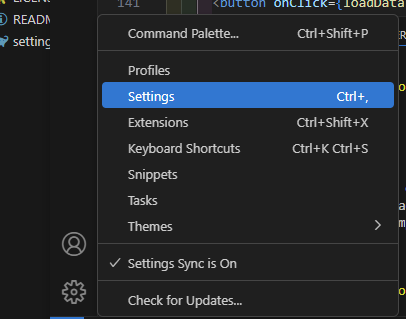
2. todo 검색 -> General 클릭 -> Edit in settings.json 클릭

3. 추가
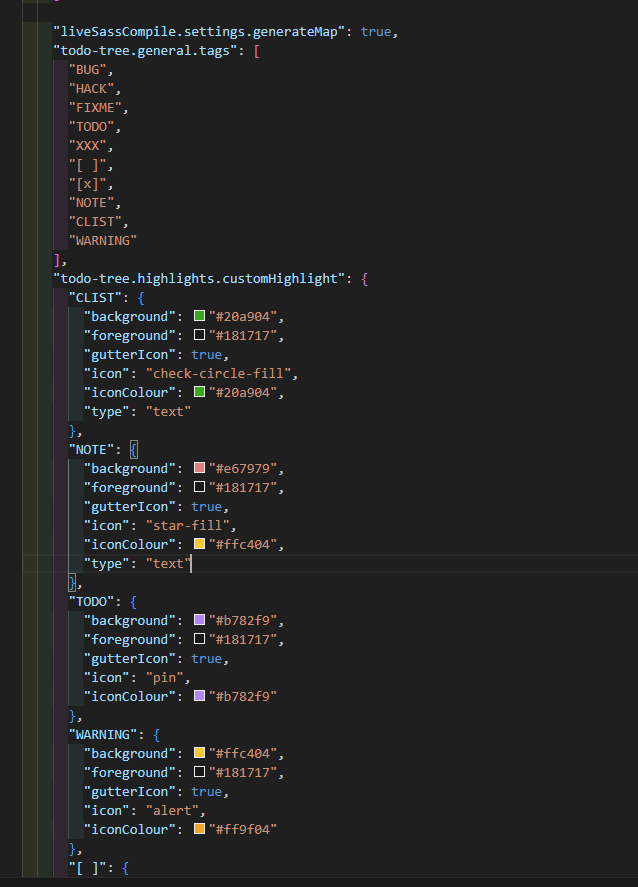
{

    "liveSassCompile.settings.excludeList": ["**/node_modules/**", ".vscode/**"],

    "liveSassCompile.settings.formats": [

      {

        "format": "expanded",

        "extensionName": ".css",

        "savePath": "~/../css"

      }

    ],

    "liveSassCompile.settings.generateMap": true,
    "todo-tree.general.tags": [
      "BUG",
      "HACK",
      "FIXME",
      "TODO",
      "XXX",
      "[]",
      "[o]",
      "NOTE",
      "CLIST",
      "WARNING"
    ],
    "todo-tree.highlights.customHighlight": {
      "CLIST": {
        "background": "#20a904",
        "foreground": "#181717",
        "gutterIcon": true,
        "icon": "check-circle-fill",
        "iconColour": "#20a904",
        "type": "text"
      },
      "NOTE": {
        "background": "#e67979",
        "foreground": "#181717",
        "gutterIcon": true,
        "icon": "star-fill",
        "iconColour": "#ffc404",
        "type": "text"
      },
      "TODO": {
        "background": "#b782f9",
        "foreground": "#181717",
        "gutterIcon": true,
        "icon": "pin",
        "iconColour": "#b782f9"
      },
      "WARNING": {
        "background": "#ffc404",
        "foreground": "#181717",
        "gutterIcon": true,
        "icon": "alert",
        "iconColour": "#ff9f04"
      },
      "[]": {
        "background": "#f87364",
        "foreground": "#181717",
        "gutterIcon": true,
        "icon": "x",
        "iconColour": "#f87364",
        "type": "text"
      },
      "[o]": {
        "background": "#20a904",
        "foreground": "#181717",
        "gutterIcon": true,
        "icon": "check",
        "iconColour": "#20a904",
        "type": "text"
      }
    },
    "todo-tree.regex.regex": "((\\*|//|#|<!--|;|/\\*|^)\\s*($TAGS)|^\\s*- \\[ \\])",
    "todo-tree.general.tagGroups": {

    }
  }
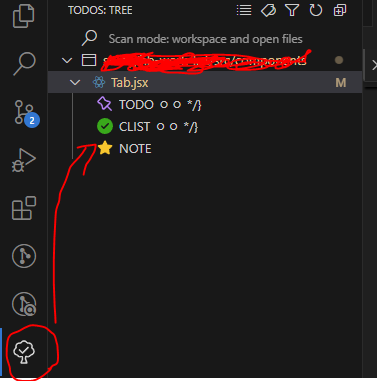
4. 추가하면 옆에서 리스트로 볼 수 있음

728x90